---
title: 2026 Freelancer’s Guide to Website Creation (No Coding)
description: Vibecoding unlocks entrepreneurship by removing technical bottlenecks — but real businesses still need structure. Here’s how freelancers do both, fast.
image: https://blog.xolo.io/hubfs/Global_Blog_03_23_Library_Header_1280x854_18-2.jpg
---
[Xolo](https://www.xolo.io/zz-en)
- Solutions
## Global solutions 🌎
Everything you need to run your independent business from anywhere
Local solutions
e-Residency company
[Run and set up your company from anywhere](https://www.xolo.io/zz-en/leap) [Switch your company to Xolo](https://www.xolo.io/zz-en/switch-to-xolo) [E-commerce support](https://www.xolo.io/zz-en/e-commerce)
No company? No problem
[Invoice and get paid without a company](https://www.xolo.io/zz-en/go)
## Local solutions 🏡
Tailored solutions to perfectly fit your locations needs
[Spain 🇪🇸 Work as autónomo in Spain](https://www.xolo.io/es-en)
[Italy 🇮🇹 Start a business in Italy](https://www.xolo.io/it-en)
- Resources
- Guides & Inspo
- [Blog](https://blog.xolo.io/)
- [Finding clients](https://lp.xolo.io/how-to-find-clients)
- [Partner program](https://www.xolo.io/zz-en/partner-program)
- [FAQ](https://www.xolo.io/zz-en/faq)
- Tools
- [Freelance toolkit](https://www.xolo.io/zz-en/freelancer-tools)
- [Free invoice generator](https://www.xolo.io/zz-en/free-invoice-generator/sales)FREE
- [Pricing](https://www.xolo.io/zz-en/pricing)
- About Xolo
- [About Xolo](https://www.xolo.io/zz-en/about)
- [Careers](https://www.xolo.io/zz-en/careers)
- [Press](https://www.xolo.io/zz-en/press)
- [Contact center](https://www.xolo.io/zz-en/about#section-about)
- [Hire freelancers](https://www.xolo.io/zz-en/teams)
- [Login](https://app.xolo.io/hub/login?locale=zz-en) [Sign up](https://app.xolo.io/hub/signup)
[Sign up](https://app.xolo.io/hub/signup)
- [Hire freelancers](https://www.xolo.io/zz-en/teams)
- [Home](https://www.xolo.io/zz-en)
- Solutions
- Resources
- [Pricing](https://www.xolo.io/zz-en/pricing)
- About Xolo
- [Hire freelancers](https://www.xolo.io/zz-en/teams)
- Main menu
- Global solutions 🌎
- Everything you need to run your independent business from anywhere
- e-Residency company
- [Run and set up your company from anywhere](https://www.xolo.io/zz-en/leap)
- [Switch your company to Xolo](https://www.xolo.io/zz-en/switch-to-xolo)
- [E-commerce support](https://www.xolo.io/zz-en/e-commerce)
- No company? No problem
- [Invoice like a company](https://www.xolo.io/zz-en/go)
- Local solutions
- Local solutions 🏡
- Tailored solutions to perfectly fit your locations needs
- [Spain 🇪🇸 Work as autónomo in Spain](https://www.xolo.io/es-en)
- [Italy 🇮🇹 Start a business in Italy](https://www.xolo.io/it-en)
- Back to top
- [Login](https://app.xolo.io/hub/login?locale=zz-en)
- **en**
Language:
English
[Spanish](https://www.xolo.io/zz-es)[Italian](https://www.xolo.io/zz-it)
Region:
Location independent
[Spain](https://www.xolo.io/es-en)[Italy](https://www.xolo.io/it-en)[Estonia](https://www.xolo.io/ee-en)
Products may differ between regions
- [Login](https://app.xolo.io/hub/login?locale=zz-en)
- [Hire freelancers](https://www.xolo.io/zz-en/teams)
- Main menu
- Guides & Inspo
- [Blog](https://blog.xolo.io/tag/teams)
- [Finding clients](https://lp.xolo.io/how-to-find-clients)
- [Partner program](https://www.xolo.io/zz-en/partner-program)
- [FAQ](https://www.xolo.io/zz-en/faq)
- Tools
- [Freelance toolkit](https://www.xolo.io/zz-en/freelancer-tools)
- [Free invoice generator](https://www.xolo.io/zz-en/free-invoice-generator/sales) FREE
- [Login](https://app.xolo.io/hub/login?locale=zz-en)
- **en**
Language:
English
[Spanish](https://www.xolo.io/zz-es)[Italian](https://www.xolo.io/zz-it)
Region:
Location independent
[Spain](https://www.xolo.io/es-en)[Italy](https://www.xolo.io/it-en)[Estonia](https://www.xolo.io/ee-en)
Products may differ between regions
- [Login](https://app.xolo.io/hub/login?locale=zz-en)
- [Hire freelancers](https://www.xolo.io/zz-en/teams)
- Main menu
- [About us](https://www.xolo.io/zz-en/about)
- [Careers](https://www.xolo.io/zz-en/careers)
- [Press](https://www.xolo.io/zz-en/press)
- [Contact center](https://www.xolo.io/zz-en/about#section-about)
- [Login](https://app.xolo.io/hub/login?locale=zz-en)
- **en**
Language:
English
[Spanish](https://www.xolo.io/zz-es)[Italian](https://www.xolo.io/zz-it)
Region:
Location independent
[Spain](https://www.xolo.io/es-en)[Italy](https://www.xolo.io/it-en)[Estonia](https://www.xolo.io/ee-en)
Products may differ between regions
- [Login](https://app.xolo.io/hub/login?locale=zz-en)
- [Login](https://app.xolo.io/hub/login?locale=zz-en)
[All articles](https://blog.xolo.io/)
# 2026 Freelancer’s Guide to Website Creation (No Coding)

Written by [Xolo](https://blog.xolo.io/author/xolo)
on February 13, 2026 • **3 minute read**
If you run or are starting an online business selling to customers in Europe, you’ve heard about value-added tax (VAT).
**Disclaimer: No coding required & no tech co-founder needed either**
Launching a digital business should be an accessible step towards independence, and for many freelancers it has been. Getting a website launched, a clear offer and a trust-inspiring brand feels great.
Or does it? Years of unspoken dependency on having a digital co-founder at your side silently squashes businesses before they even get off the ground – someone who codes, a digital architect… The *builder of the thing*.
For many aspiring business creators, that person – the digital co-founder – becomes both key and bottleneck. Things begin to move at someone else’s pace, with delayed tests and unlaunched ideas.
Today that dynamic changes **with vibecoding**. And we’ll explain:
- What vibecoding unlocks for entrepreneurs
- How to build and launch on your own
- Why the real world still asks for some unglamorous stuff (and how to handle it all)
## **What is vibecoding**
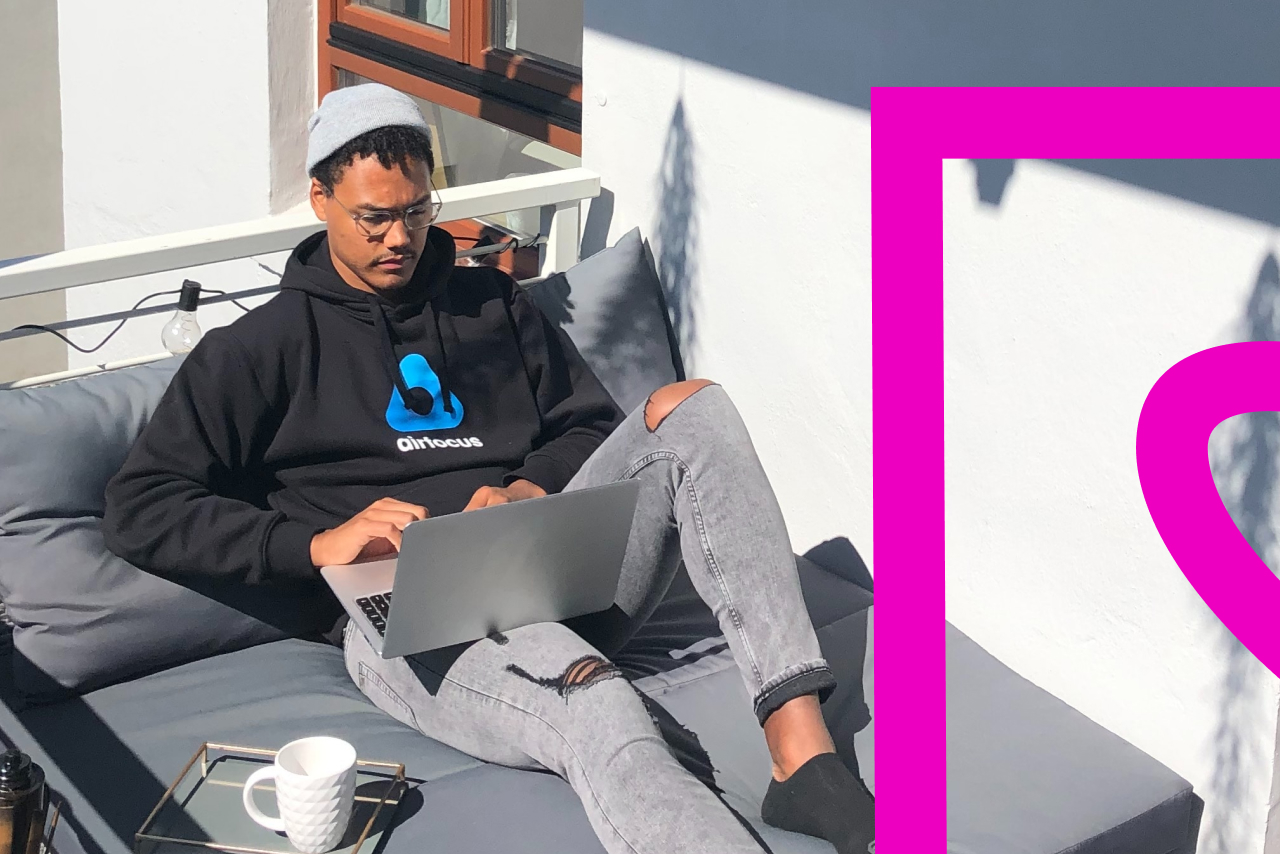
**Imagine you want to build a website**. You sit down, set a steaming cup of caffeine next to you, and fire up the laptop you generally use for emails and Google Docs.
What now?
You may have looked at website builders like Squarespace, fumbled around Canva, run through a string of “Hey guys, it’s \_\_\_\_ from \_\_\_\_ channel” intros on YouTube. Where templates left you wanting, subscription fees broke the wallet; where YouTube brought some assistance, in practice you still couldn’t get the cushioning right on your website’s header. Agh!
**Vibecoding lets you build without coding**, using plain English prompts such as “Create a user login form.” It typically runs through the following steps:
1. Prompt
2. Generate
3. Test
4. Refine
Vibecoding lets you arrange things visually using AI or pre-built logic – you’ll spend your energy on messaging, position and user experience instead of learning to code.
While you can’t build everything yourself this way (yet), you can build enough to launch, test and gain traction in the early stages of your business.
## **4 reasons vibecoding works for freelancers**
Freelancers often don’t need complex, feature-heavy websites – they need to get a clear message out fast. Vibecoding provides that clear, prompt credibility.
### **1. No technical skills**
You don’t need to understand HTML, CSS or JavaScript to publish something professional. If you can explain your service to a client, you can often translate that into a website.
### **2. Launch faster**
Many freelancers go from blank page to live site within a weekend. That speed matters when you’re pitching to clients, sharing links or validating ideas.
### **3. Stay flexible**
Offers change. Niches evolve. Vibecoding tools make it easy to update your site without hiring a developer.
### **4. Save money**
Instead of investing heavily upfront, you can launch something solid now and improve it once revenue starts coming in.
[](https://cta-redirect.hubspot.com/cta/redirect/5615817/12384b78-ac9d-4c9e-8061-841803fbfbe1)
## **What does a freelance website actually need**
Before we talk tooling, let’s ground this in reality.
A strong freelancer website does not need 20 pages.
Vibecoding will work best when your proposition is as clear as your website. A simple setup for almost any freelancer should be:
### ✅ Homepage
- Clear value proposition (what you do + who you help)
- One primary CTA (contact, book a call, get a quote)
### ✅ Services or offers page
- What you offer
- Who it’s for
- Starting prices or clear next steps
### ✅ About page
- Human, not corporate
- Why you do what you do
- Social proof if available
### ✅ Contact or booking page
- Email or form
- Optional calendar integration
While more is possible, vibecoding tools are built exactly for this kind of setup. Let’s get into the tools you’ll need to get your website crafted and launched this weekend.
## **No-code tools that make vibecoding easy**
There are many no-code website builders available, but some are particularly popular among freelancers who want to move fast and still look polished.
### **Wix: An all-in-one website builder**
Wix is one of the most established no-code platforms and a familiar choice for freelancers and small businesses. It combines design, hosting, and site management in one place, which removes a lot of setup friction.
The visual editor is intuitive, templates are polished, and AI-assisted features help you get your web presence live (and fast).
👉 [*Build your freelancer website with Wix*](https://wix.pxf.io/c/6947945/2097976/25616?subId1=xolo&subId2=partnership&trafcat=wsb&partnerpropertyid=7963204)
Wix works well if you want a comprehensive solution that lets you focus on launching rather than configuring.
### **Base44: Modern no-code for fast experimentation**
Base44 represents a newer generation of no-code tools designed for flexibility and experimentation. Its clean layouts and modular building blocks align well with the vibecoding mindset.
Instead of overthinking structure, you shape your site until it feels right — and adjust as you learn more about your audience.
👉 [*Create a no-code website with Base44*](https://base44.pxf.io/c/6947945/3751315/25619?subId1=xolo&subId2=partnership&trafcat=wsb&partnerpropertyid=7963204)
Base44 is a good fit if you enjoy iterating quickly and keeping things lightweight.
## **Vibecoding doesn’t solve everything (what to know)**
Once your website is live and clients start paying, you’re no longer just building a business – you’re running one.
The real world still expects a few things regardless of how modern your tools are.
- Legal and compliant business setup
- Invoicing and payments
- Taxes and reporting
- Cross-border considerations if you work internationally
This is the boring checklist. The unsexy part. And it’s exactly where many solopreneurs lose time, energy and confidence.
[](https://cta-redirect.hubspot.com/cta/redirect/5615817/f179fd70-2b52-461a-985f-562c6f679ca7)
### **Build fast with vibecode — let Xolo handle your admin**
**Modern solopreneurship isn’t about doing everything** yourself**.** It’s about doing the right things yourself. The smartest solopreneurs don’t replace one bottleneck with another. They remove friction wherever possible.
Vibecoding lets you build and experiment without technical bottlenecks. Website builders help you look credible in record time.
**Xolo takes care of the administrative side** of running a business — from setup to compliance — so you don’t have to.
👉 Skip the hassle — leave the admin to Xolo.
[*Explore Xolo Go for freelancers*](https://www.xolo.io/zz-en/go)
[*Run your global business with Xolo Leap*](https://www.xolo.io/zz-en/leap)
### Skip the hassle — leave the admin to Xolo.
[Get started](https://www.xolo.io/zz-en/pricing)
[e-Residency](https://blog.xolo.io/topic/e-residency) [e-commerce](https://blog.xolo.io/topic/e-commerce)
## Related blogs
## Subscribe to our newsletter
and get the latest updates and expert
business tips straight to your inbox.
### Subscribe to our newsletter
**Xolo**
- [About us](https://www.xolo.io/zz-en/about)
- [Contacts](https://www.xolo.io/zz-en/about#section-about)
- [Careers](https://www.xolo.io/zz-en/careers)
- [Privacy policy](https://www.xolo.io/zz-en/privacy)
- [Terms](https://www.xolo.io/zz-en/terms)
**Admin solutions**
- [Invoice without a company](https://www.xolo.io/zz-en/go)
- [Run an E-residency company](https://www.xolo.io/zz-en/leap)
- [Work as autónomo in Spain](https://www.xolo.io/es-en)
- [Start a business in Italy](https://www.xolo.io/it-en)
**Resources**
- [Help Center](https://www.xolo.io/zz-en/faq)
- [Pricing](https://www.xolo.io/zz-en/pricing)
- [Blog](https://blog.xolo.io)
- [Partner program](https://www.xolo.io/zz-en/partner-program)
- [Press](https://www.xolo.io/zz-en/press)
---
© Xolo OÜ. All Rights Reserved.